Explore & Vizualize
This guide describes the basics of using SyncroSim Cloud, including:
Explore
Start exploring existing SyncroSim Libraries online by navigating to the Explore page.

On the Explore page you will find a list of all the public SyncroSim Libraries uploaded by the community. These Libraries are accessible to anyone, with or without a SyncroSim Cloud account.
Anatomy of a Library
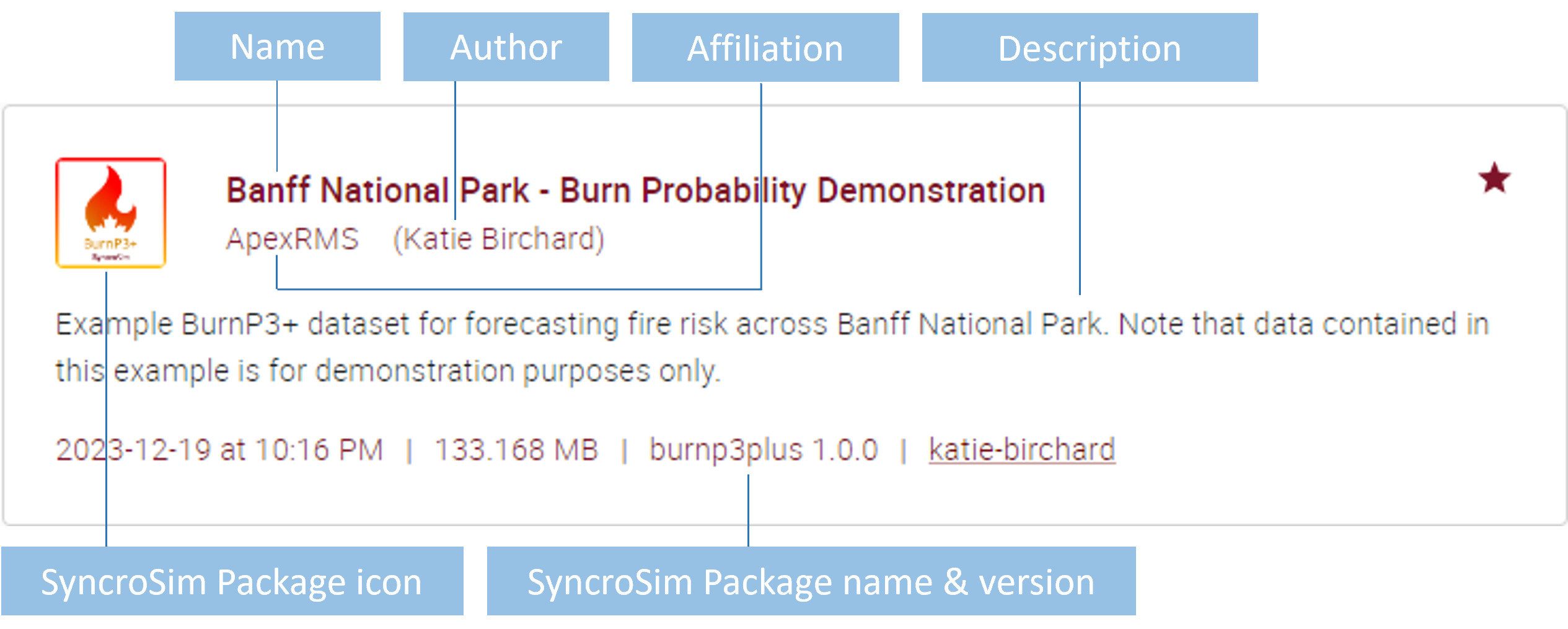
Each Library has a name, an author - which may have an affiliation - and a description. The SyncroSim package used to build the Library is also listed in the metadata and is showcased in the Library’s thumbnail.
Featured Libraries
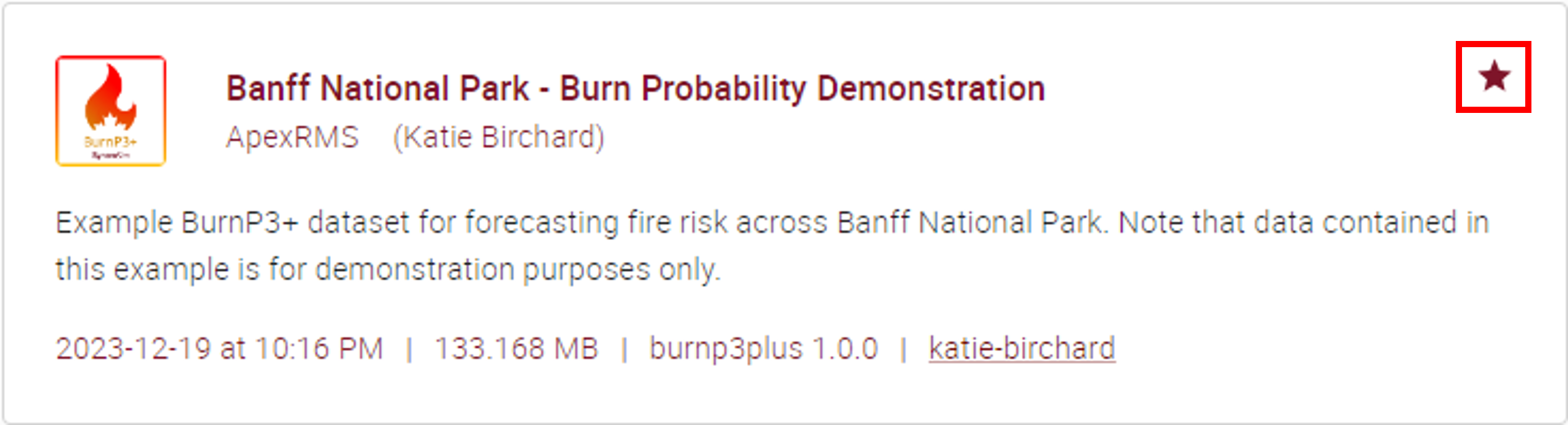
Featured Libraries showcase key features of SyncroSim Cloud and are identified by a maroon star symbol in the top right-hand corner of the Library card on the Explore page.
Library Viewer
On the Explore page, click on a Library to open it in the Library Viewer.
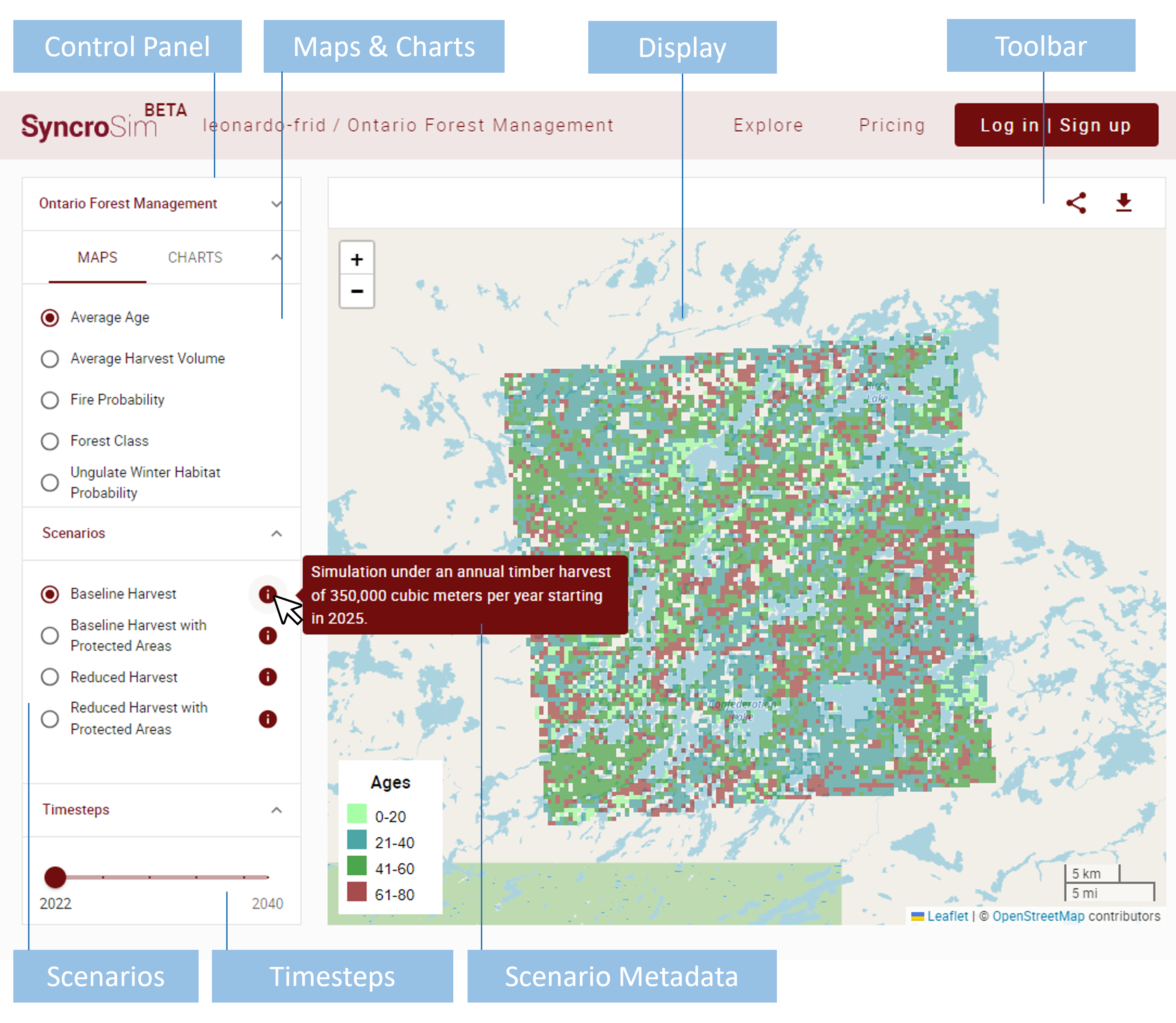
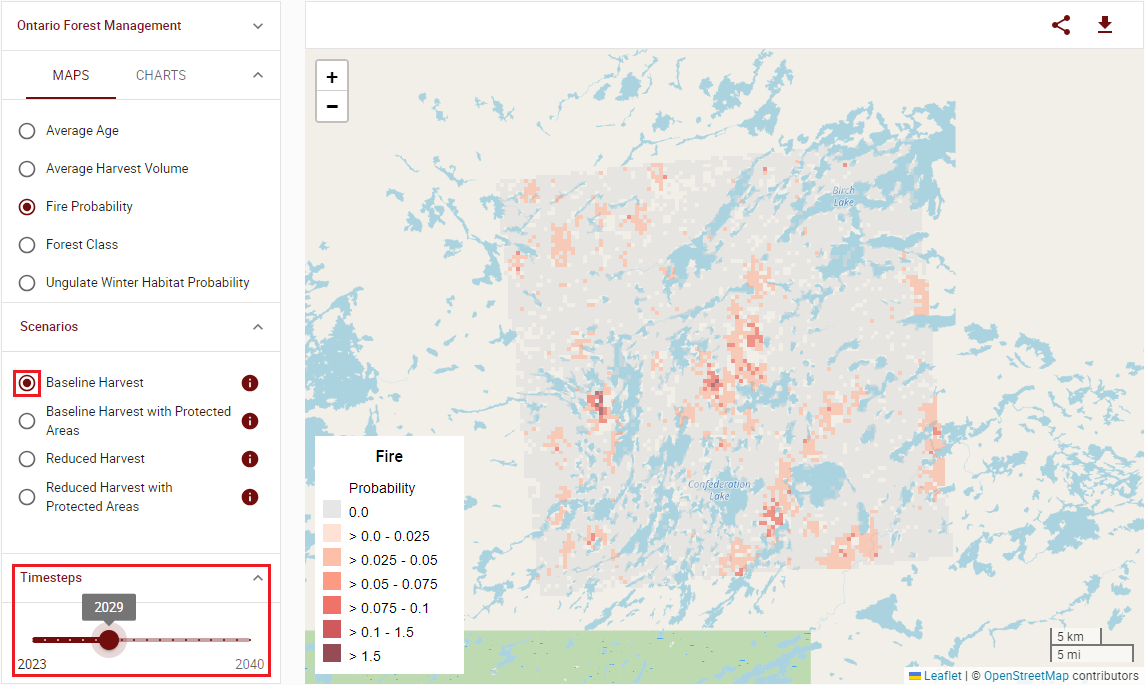
Use the Control Panel on the left to interact with the Library.
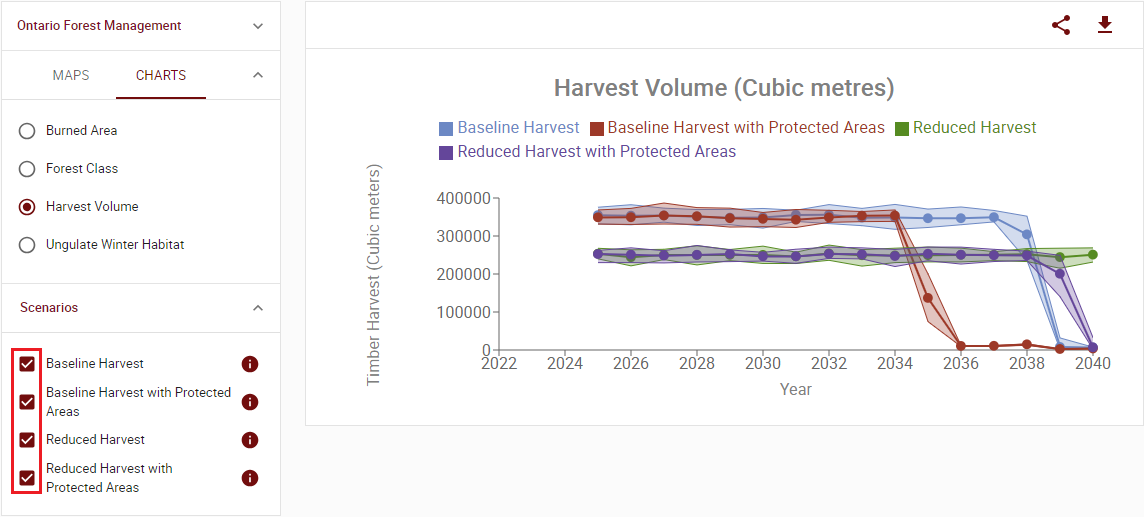
You may choose the visualization to display in the Maps and Charts section, and select alternative forecasting Scenarios to compare from the Scenarios section. Hover over the information icon  to the right of the Scenario name to display a description.
While displaying Charts, you may compare multiple Scenarios at once.
For Maps, you can toggle between Scenarios.
Use the slider in the Timesteps section to explore the timeseries of a given selected map.
Above the display area for Maps and Charts, you will find the toolbar. From this toolbar, click on the share icon  to generate a shareable link for the Library, or click to download the library
  and open it locally on your computer using the SyncroSim Desktop software.